How to capture additional claim information in myMPS
This guide will assist in the case where you need to capture additional information such as the hospital authorisation number or referring provider, etc.
From the ‘Capture invoice’ screen, once you have captured the claim header details, you can either click the ‘Add additional claim information’ link or select ‘Inpatient hospital’ from the place of service.
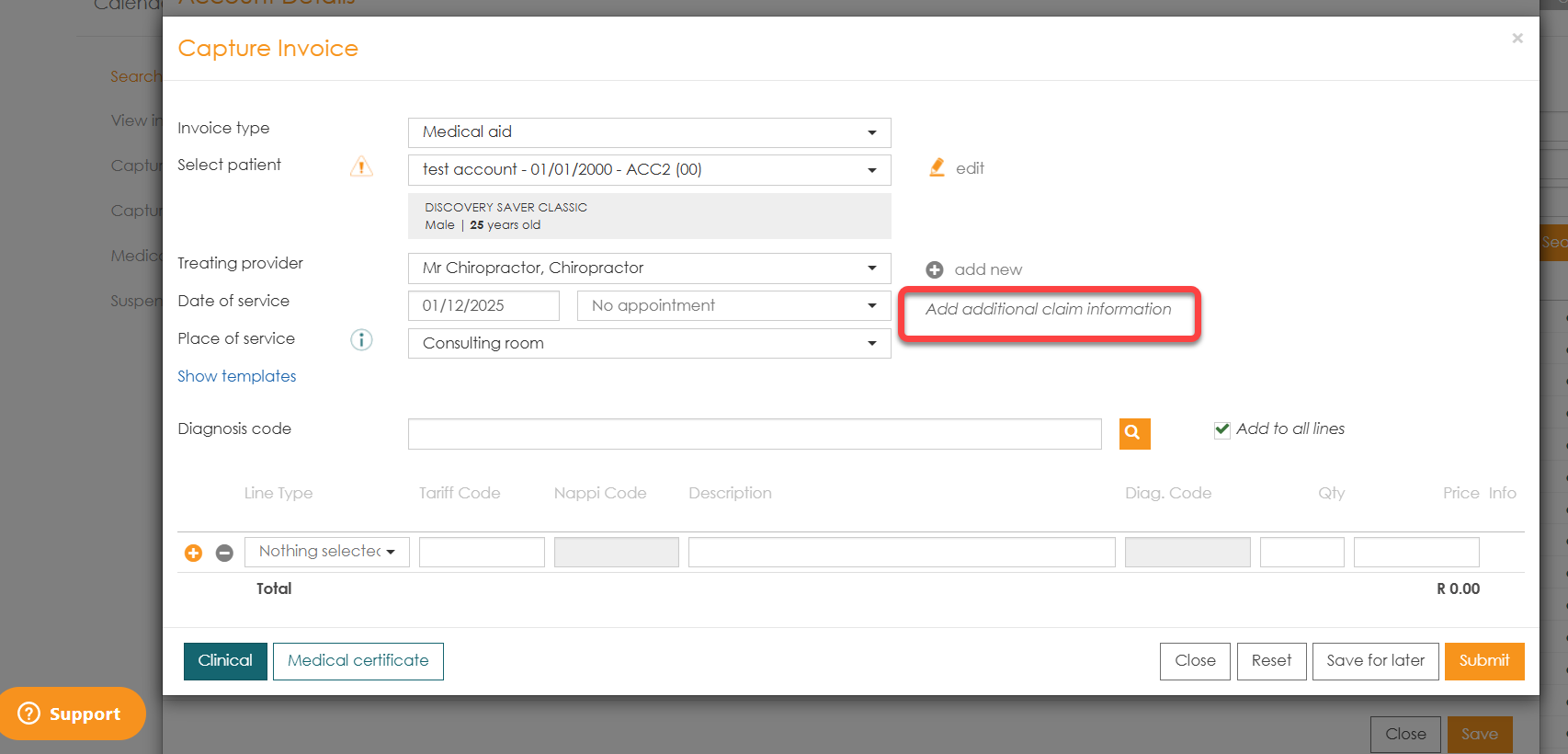
Both options will open up the ‘Add Additional Claim Information’ screen.
From here you can click the Authorization number from the drop-down and select from the existing authorisation numbers or click the plus icon( 
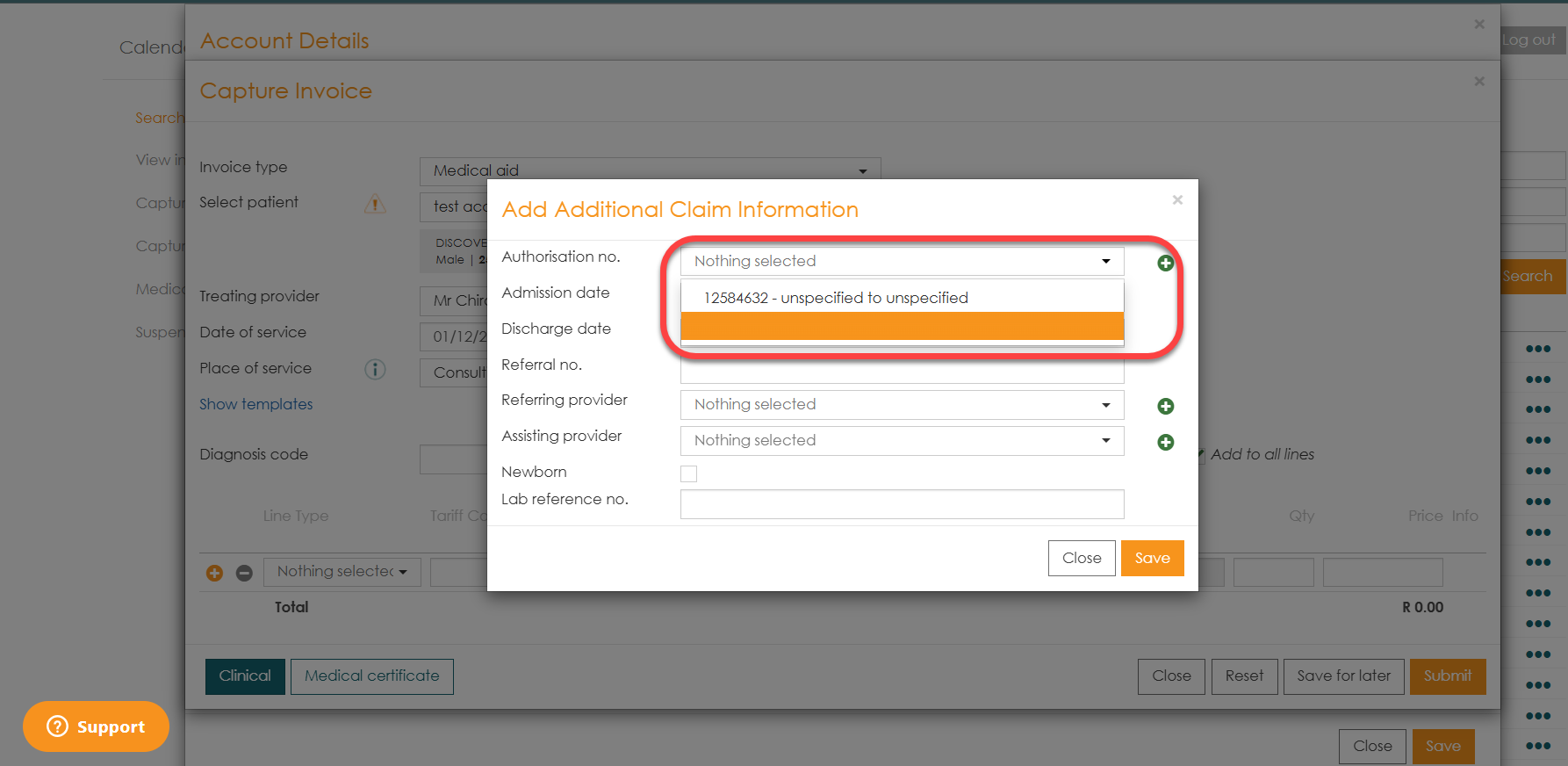
Capture all information that is relevant, such as the admission and discharge date etc and save the authorisation number.

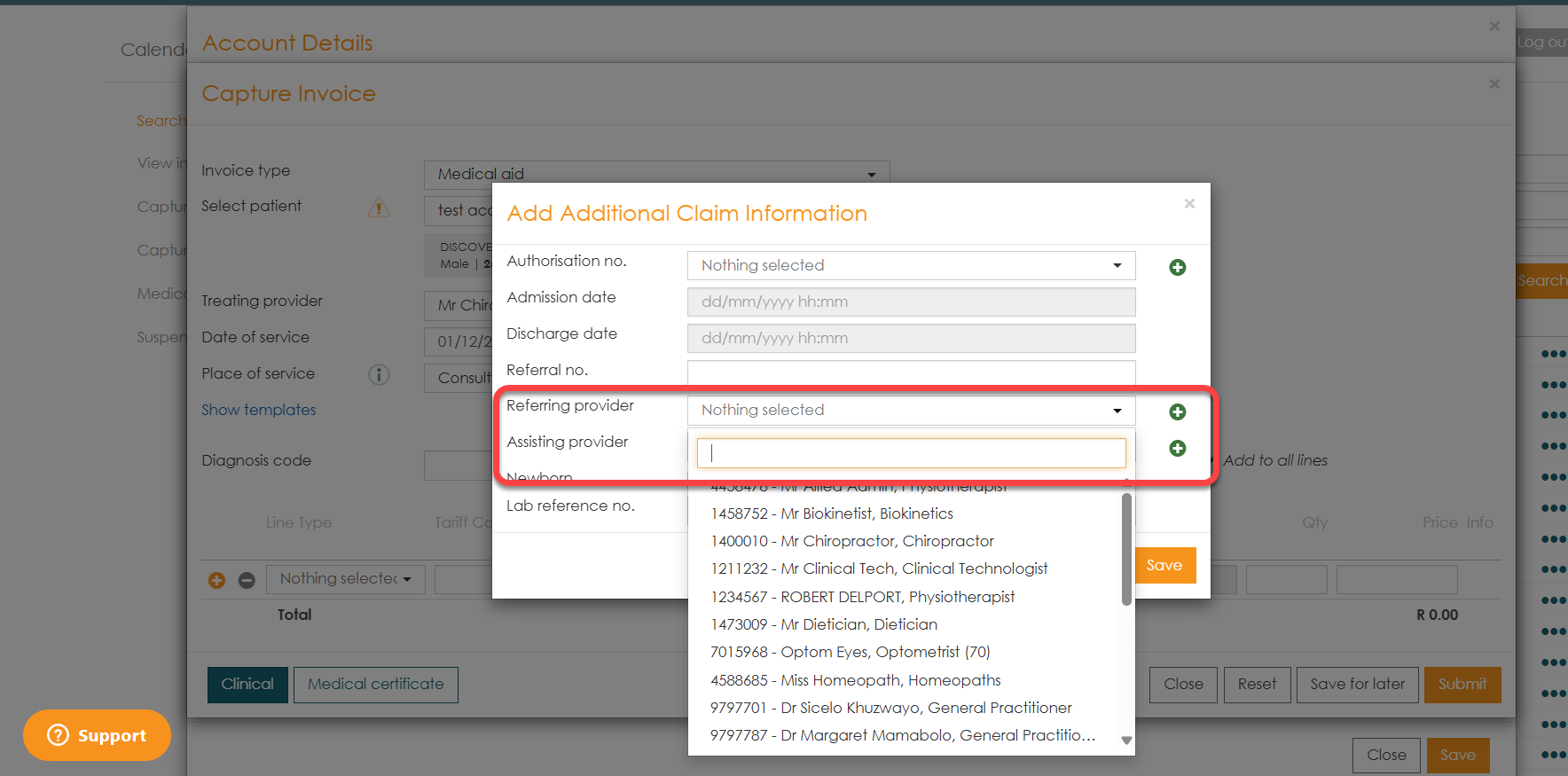
To add referring or assisting providers, you can click the drop-down to select from existing providers or click the plus icon(