
How to conduct a Benefit Check
A Benefit Check can only be done from the myMPS calendar. It is an automated feature that is triggered when a patient is added into the ‘Waiting Room’ or booked into the Calendar.
To make a booking, click on the preferred time slot in the calendar.
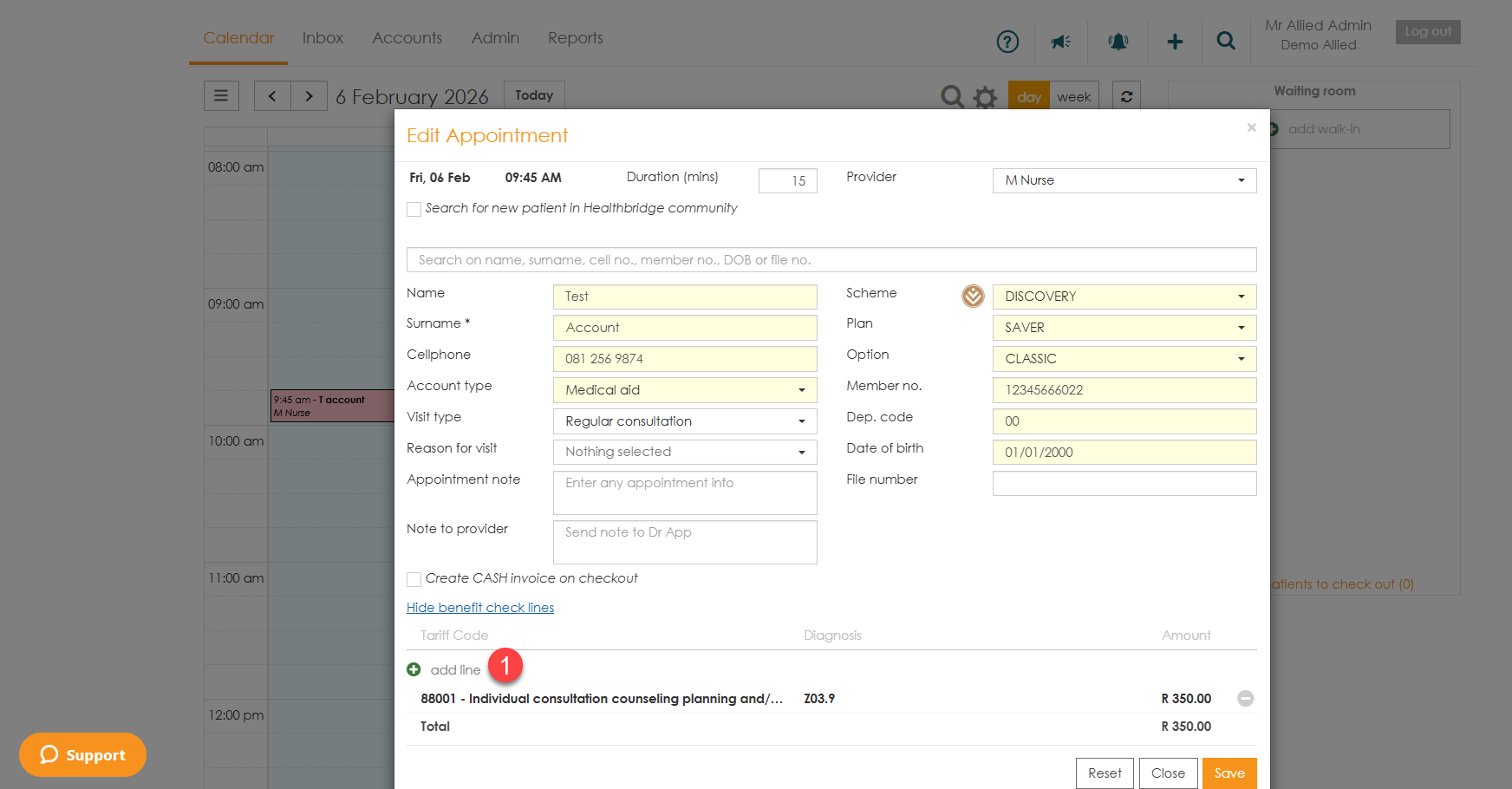
You will be presented with the appointment window where you can fill in all the necessary details pertaining to the patient’s visit.
- At the bottom of the window, there is a ‘Show benefits check lines’ link that enables you to see the default Tariff Codes that are being used for the Benefit Check.You have the option to edit the default codes by clicking on 'add line' and adding your own followed by clicking on 'save'.

- If the patient does not have an appointment, click the ‘add walk-in’ button. This will bring up the ‘Walk in patient’ appointment window where you will be able to create an appointment for them.
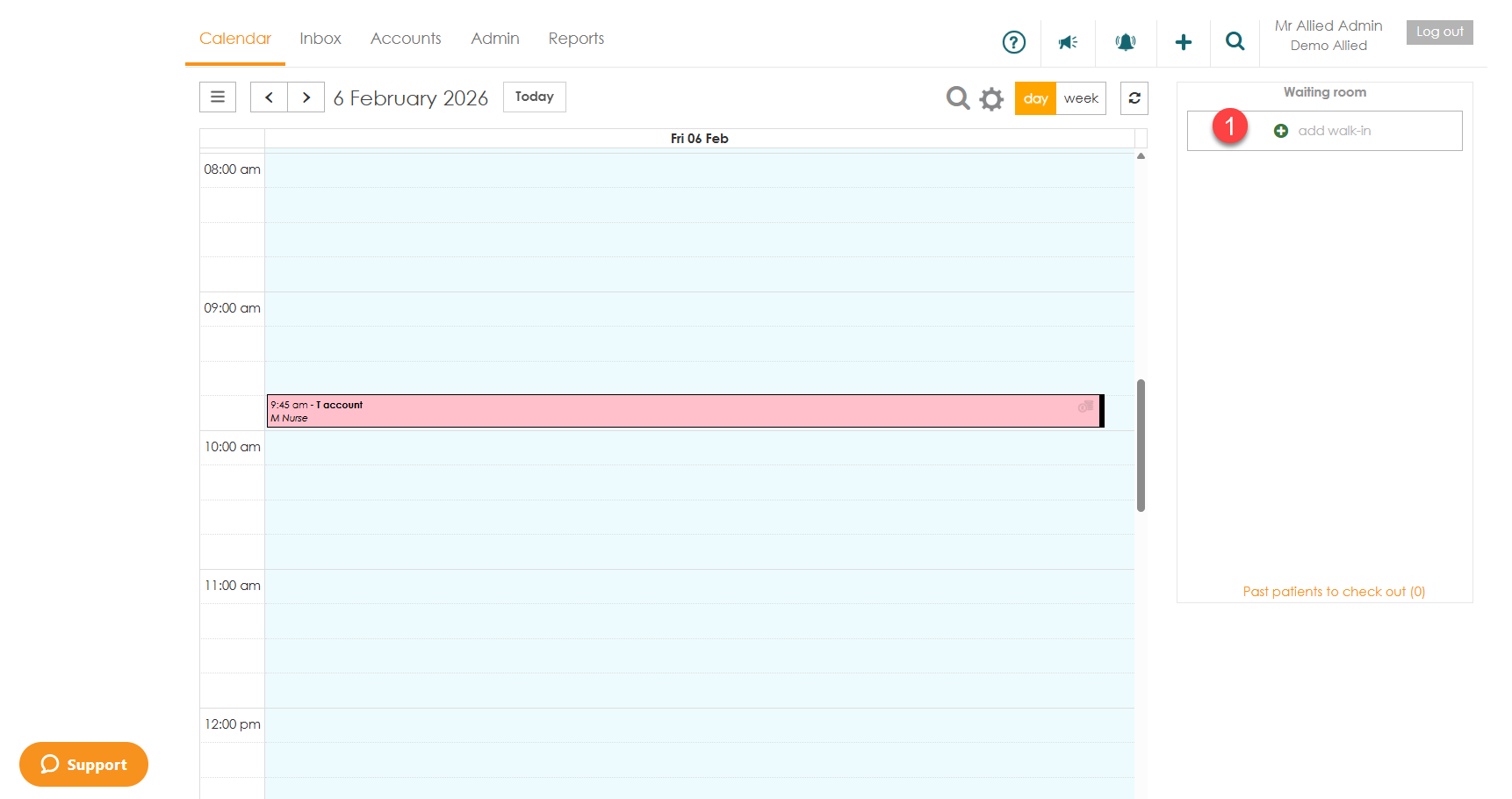


The patient will be added to the calendar and the Benefit Check will be triggered. Each patient’s appointment will be colour coded according to the Benefit Check response.
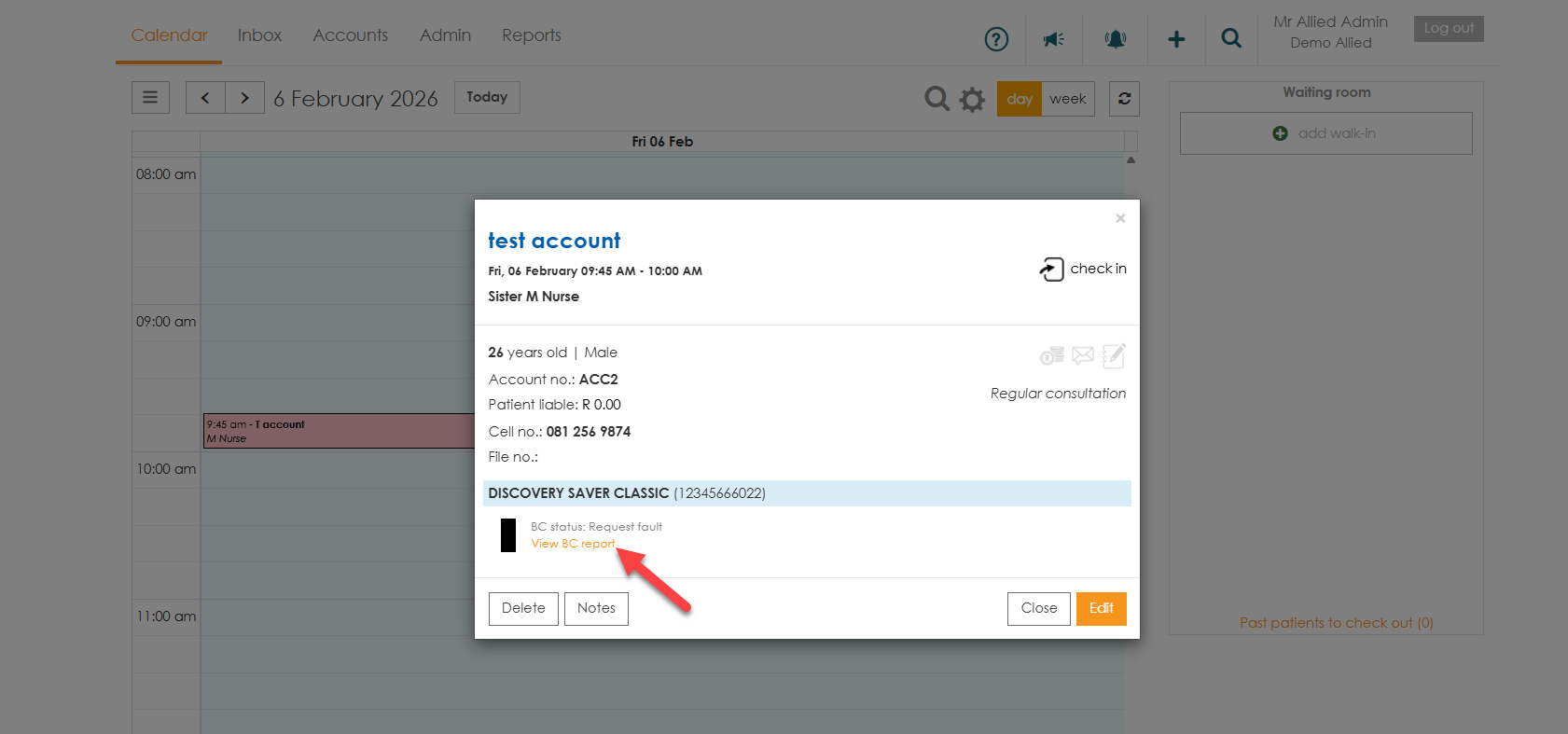
If you would like to see a more detailed Benefit Check response, click on the patient’s appointment. At the bottom of the pop up window, there will be a colored block with the Benefit Check response. Click the ‘View BC report’ link in order to see more details.
This will open up a pdf with the full Benefit Check which can be printed or emailed to the patient if desired.

Setting up Benefit Check templates for each treating provider
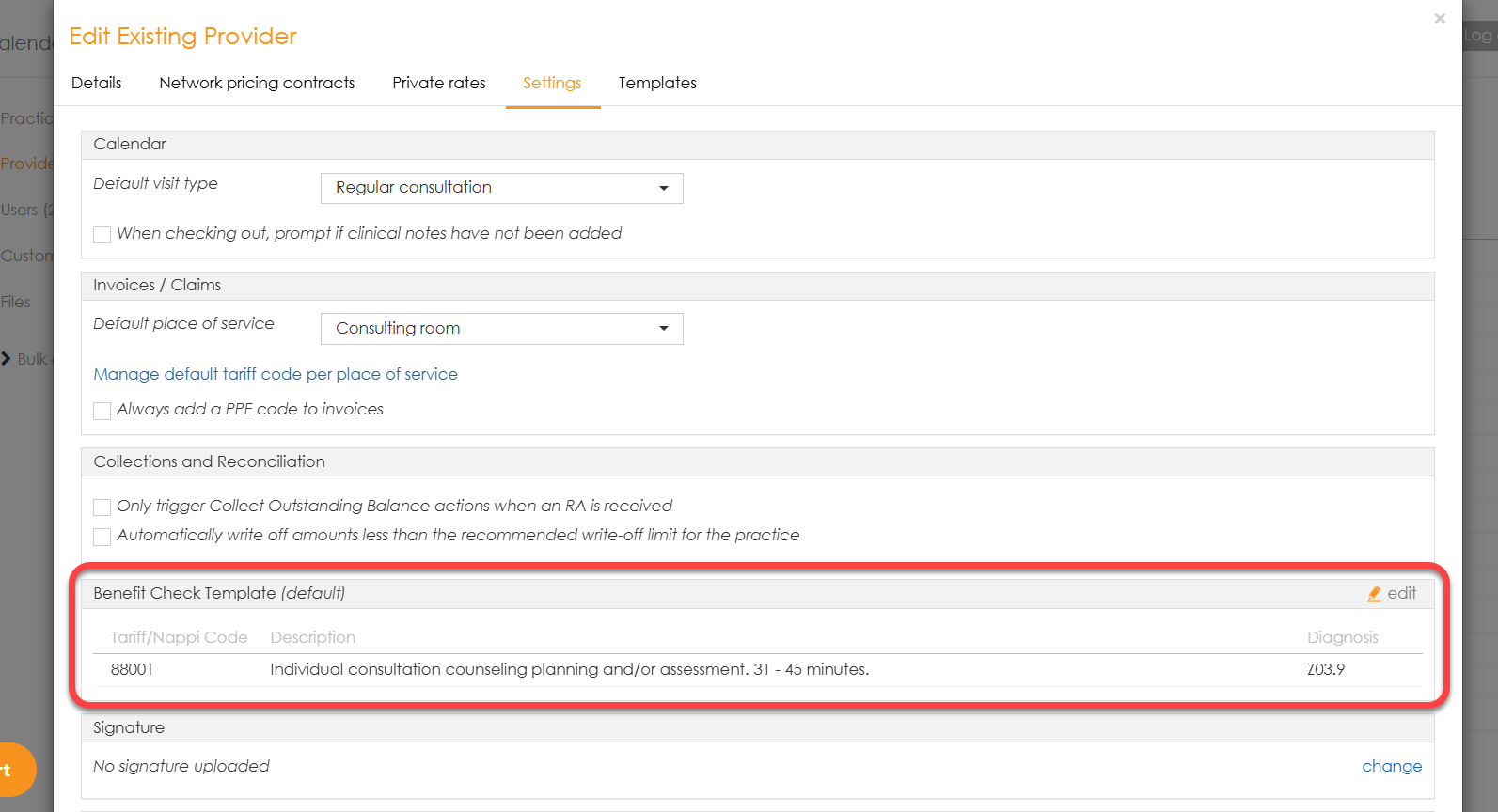
If there are multiple treating providers at the practice, each one can customise its default template. This functionality can be found in the ‘Admin’ tab, under the ‘Providers’ menu option. Select the provider and then go to the ‘Settings’ tab.
- If the Benefit Check template has not been set/customised, it will show as ‘default’ in brackets.
- To set/customise Benefit Check lines, click the ‘Edit’ link then add your diagnosis and procedure lines from the pop-up.
Note: Once these are saved, each time a patient is booked into the calendar or added to the walk-in, the Benefit Check will be triggered with the selected treating provider’s tariff codes.