Help Center
Help Center
First Training
How to log into myMPSOrientation of myMPS How to add a new user in myMPS How to add a new providerHow to add patients to myMPS How to capture an invoice Managing Patient AccountsAdding an appointment to the CalendarHow to conduct a Benefit CheckCustomizing calendar display settingsHow to capture additional claim information in myMPSNetwork Pricing contractsTransfer from Medical Aid liable to Patient liable How to create Templates and FavoritesHow to add a Credit Note How to add a Debit Note How to manage unallocated credits
Second Training
How to follow up on claims in myMPS Working with the myMPS inboxUsing myMPS ReportsHow to manage electronic remittances (eRAs)How to handle claim rejections via myMPSModifiersHow to transfer from Medical aid to patient liable Liability

How to add a Debit Note

A debit note increases a patient’s outstanding balance and, as the counterpart to a credit note, is used for precise account adjustments requiring extra charges. It formally records debit transactions outside regular invoices.

How to add a Debit Note

  1.  Click on the "Accounts Tab" and search the required account.
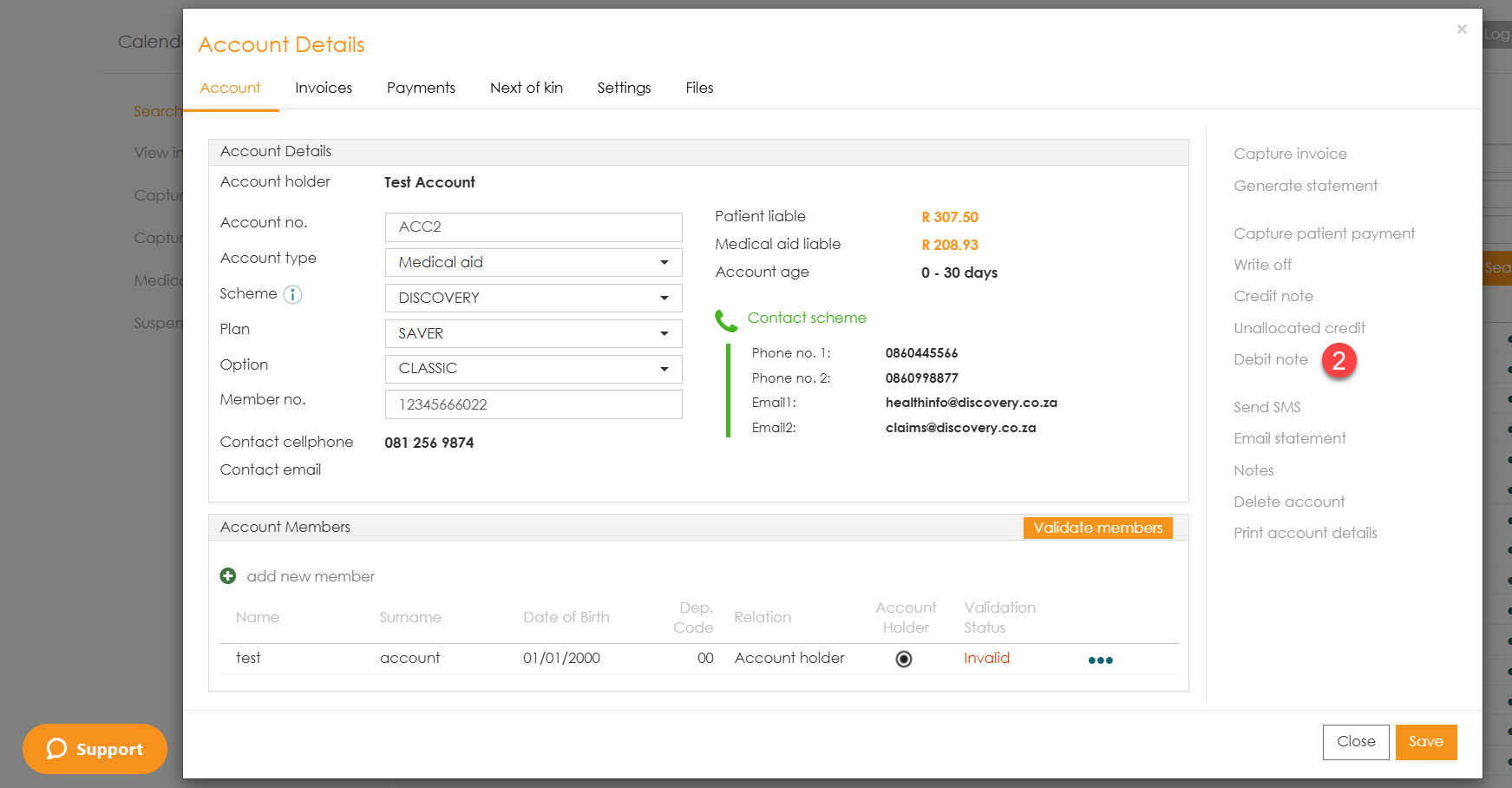
  2. Select the  "Debit Note" option.
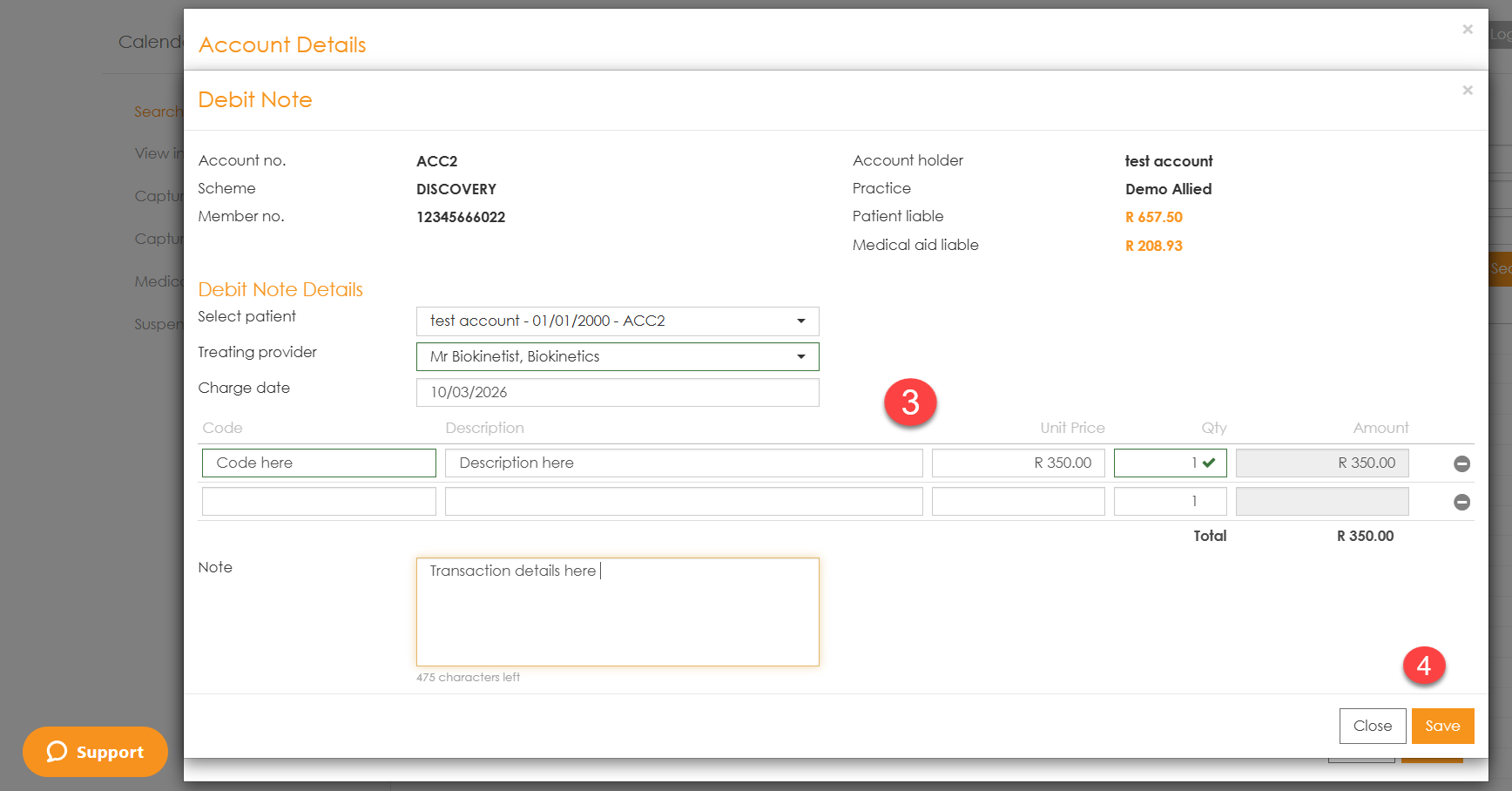
  3. Complete the details for the debit note
  4. Select "Save".

Was this article helpful?

Powered by Product Fruits